> For the complete documentation index, see [llms.txt](https://dexcore.gitbook.io/guide/llms.txt). Markdown versions of documentation pages are available by appending `.md` to page URLs; this page is available as [Markdown](https://dexcore.gitbook.io/guide/dexcore-guide-es/modules/outlook-hotmail/features/check-emails.md).
# Check Emails
{% hint style="info" %}
**This is usually your FIRST step.** Before you do anything else with your accounts, check them here. If you haven't done this yet, do it now before using any other function.
{% endhint %}
{% hint style="warning" %}
👉 **Before you start:** Make sure your [Config File](/guide/dexcore-guide-es/setup/installation/config-file.md), [Proxy File](/guide/dexcore-guide-es/setup/installation/proxy-file.md), and [Task File](/guide/dexcore-guide-es/modules/outlook-hotmail/task-file.md) are set up.
{% endhint %}
***
## Check for Security
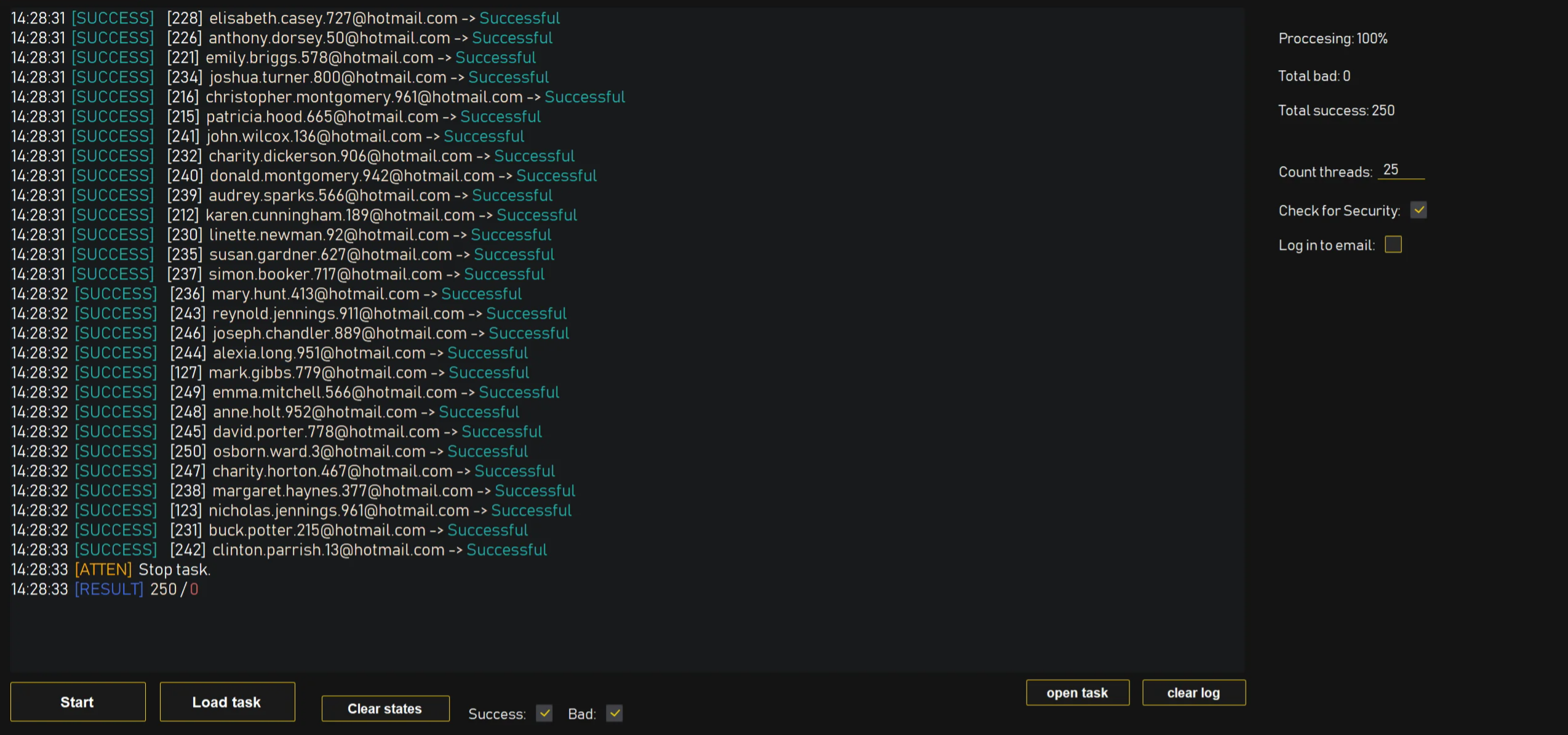
This is the function you use to quickly check if purchased accounts are usable. It checks whether the account has any existing protection (like a recovery email, 2FA, or phone number) that you don't control.
**In simple terms:** The bot tries to see if the account is "clean" (no security) or "locked" (someone else's security is on it).
**Two possible results:**
✅ **Successful** — The account has NO existing protection. You can set up your own security on it. This is what you want.
❌ **Worth protection** — The account ALREADY has protection (2FA, recovery email, or phone number). If you don't have access to that existing protection, you CANNOT use this account.
***
## Log in to Email
{% hint style="warning" %}
**"Log in to Email" is for accounts that already have protection set up** (recovery email, 2FA, etc.). For new/fresh accounts, use "Check for Security" instead.
{% endhint %}
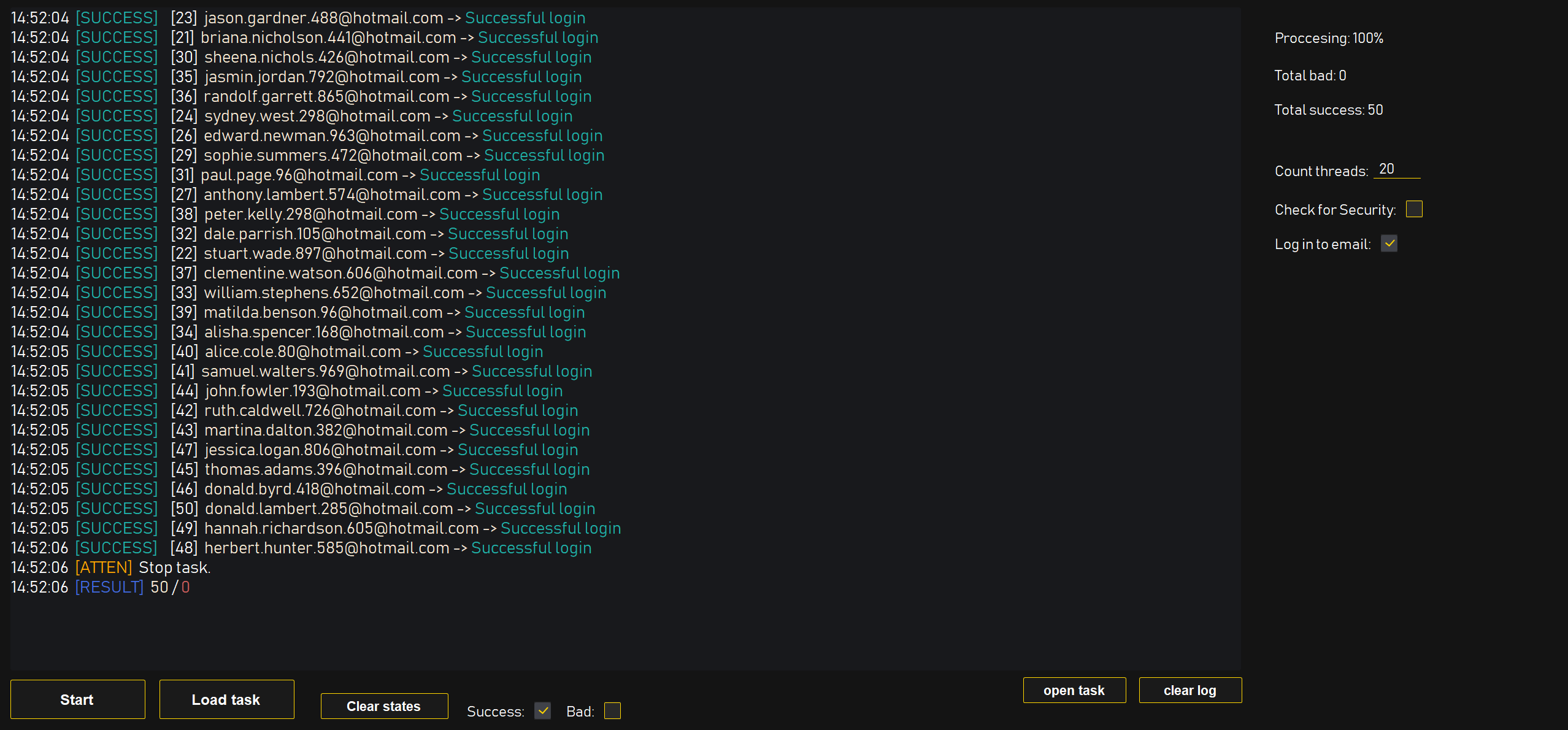
This function verifies that your account is working and that all your security data (password, 2FA, recovery email) is correct and up to date.
**Possible results:**
✅ **Successful Login:** Everything works — password, protection, and email are all functional.
⚠️ **Impossible to check:** The account has no protection set up. You need to set up at least a Recovery Email first. 👉 [Set Recovery Email](/guide/dexcore-guide-es/modules/outlook-hotmail/features/set-recovery-email.md)
❌ **Recover account:** Microsoft requires identity verification. The account needs manual recovery — the bot cannot help.
❌ **Account does not exist:** The email address is wrong or the account was deleted. Double-check the email in your task file.
❌ **Sign-in is blocked:** Too many failed login attempts. Wait 24 hours and try again.
❌ **Banned:** The account is banned by Microsoft. You can try unlocking it by linking a phone number, but it may not work.
❌ **Login for this username has been disabled:** You're trying to log in with an **alias** (a secondary email address) that has been disabled. Check that you're using the main email address.
{% hint style="warning" %}
**This function is NOT for logging in before using other functions.** The bot logs into accounts automatically in each function. You do NOT need to "log in" first. This function only CHECKS if your data is correct.
{% endhint %}
***
## Common Mistakes
{% hint style="danger" %}
* ❌ Using "Log in to Email" on new accounts that have no protection — use "Check for Security" instead
* ❌ Skipping this step entirely — always check accounts first before setting anything up
* ❌ Trying to work with accounts that show "Worth protection" without having access to their existing security
{% endhint %}