> For the complete documentation index, see [llms.txt](https://dexcore.gitbook.io/guide/llms.txt). Markdown versions of documentation pages are available by appending `.md` to page URLs; this page is available as [Markdown](https://dexcore.gitbook.io/guide/dexcore-guide-fr/setup/installation/config-file/domains-setup.md).
# Domains Setup
{% hint style="info" %}
**What is a catch-all?** A catch-all means that ANY email sent to your domain (like `anything@yourdomain.org`, `random123@yourdomain.org`, etc.) will all be forwarded to one email address — your Gmail. This way the bot can create unlimited recovery email addresses on your domain.
{% endhint %}
{% hint style="warning" %}
**Before you start:** You need to have already purchased a domain. 👉 [Buying Domains](/guide/dexcore-guide-fr/setup/installation/config-file/buying-domains.md)
{% endhint %}
***
### 1. Open your domain dashboard
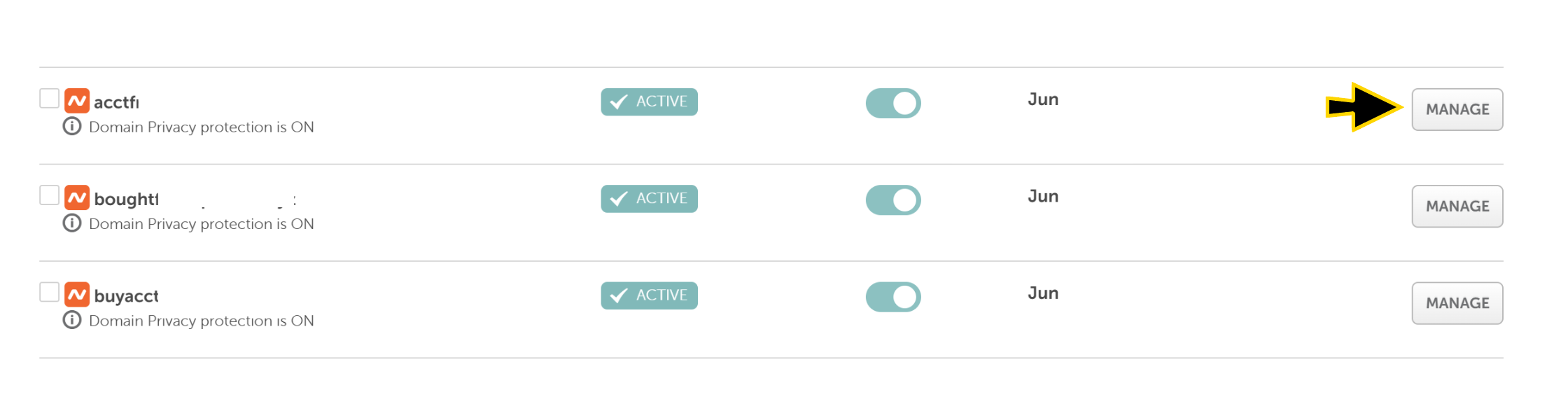
Go to your domain provider (e.g., NameCheap) and find your domain list. Select the domain you want to set up and click the **Manage** button.
***
### 2. Set up Catch-All
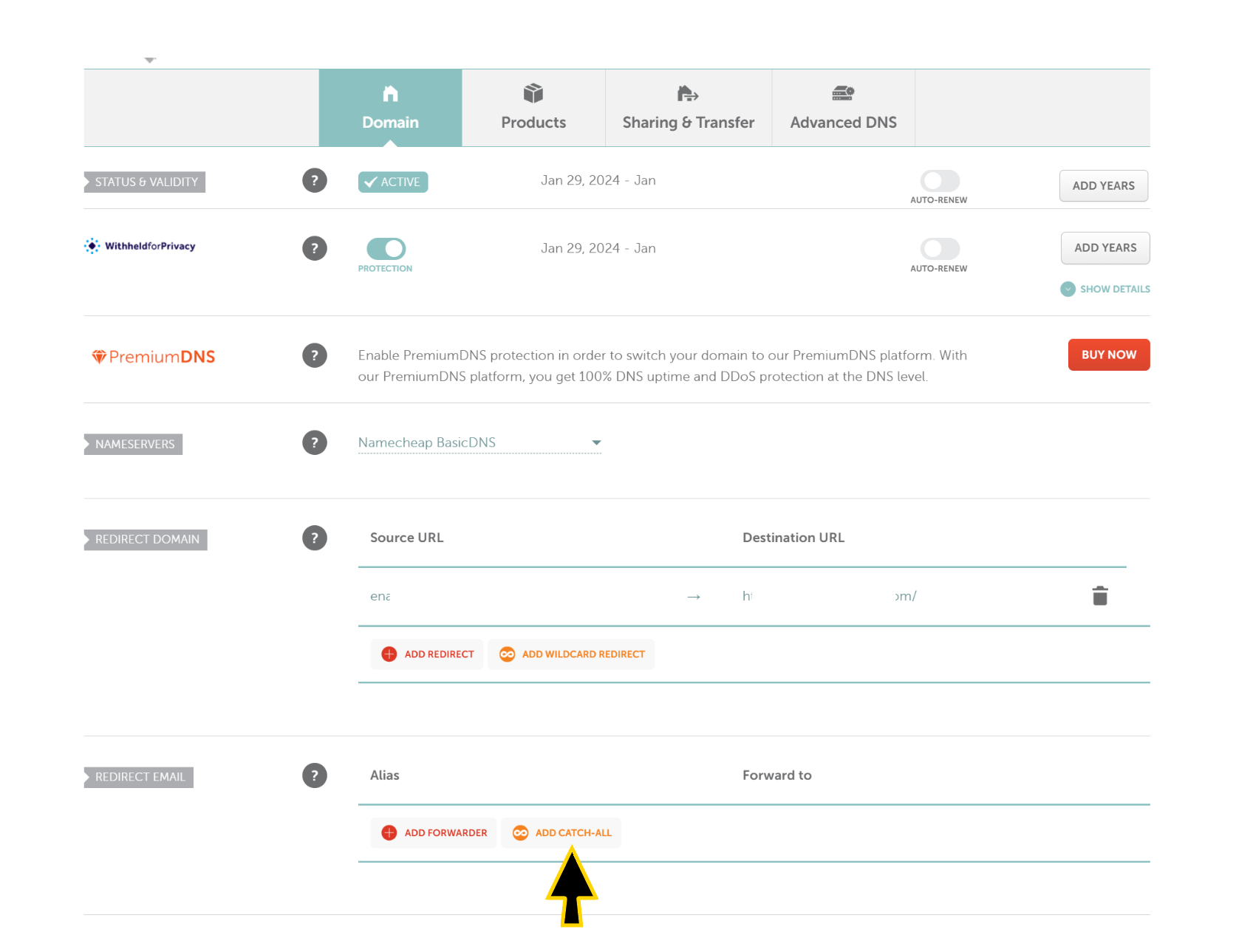
Press the **Add Catch-All** button and enter the Gmail address where all emails to this domain should be sent. Then confirm.
{% hint style="warning" %}
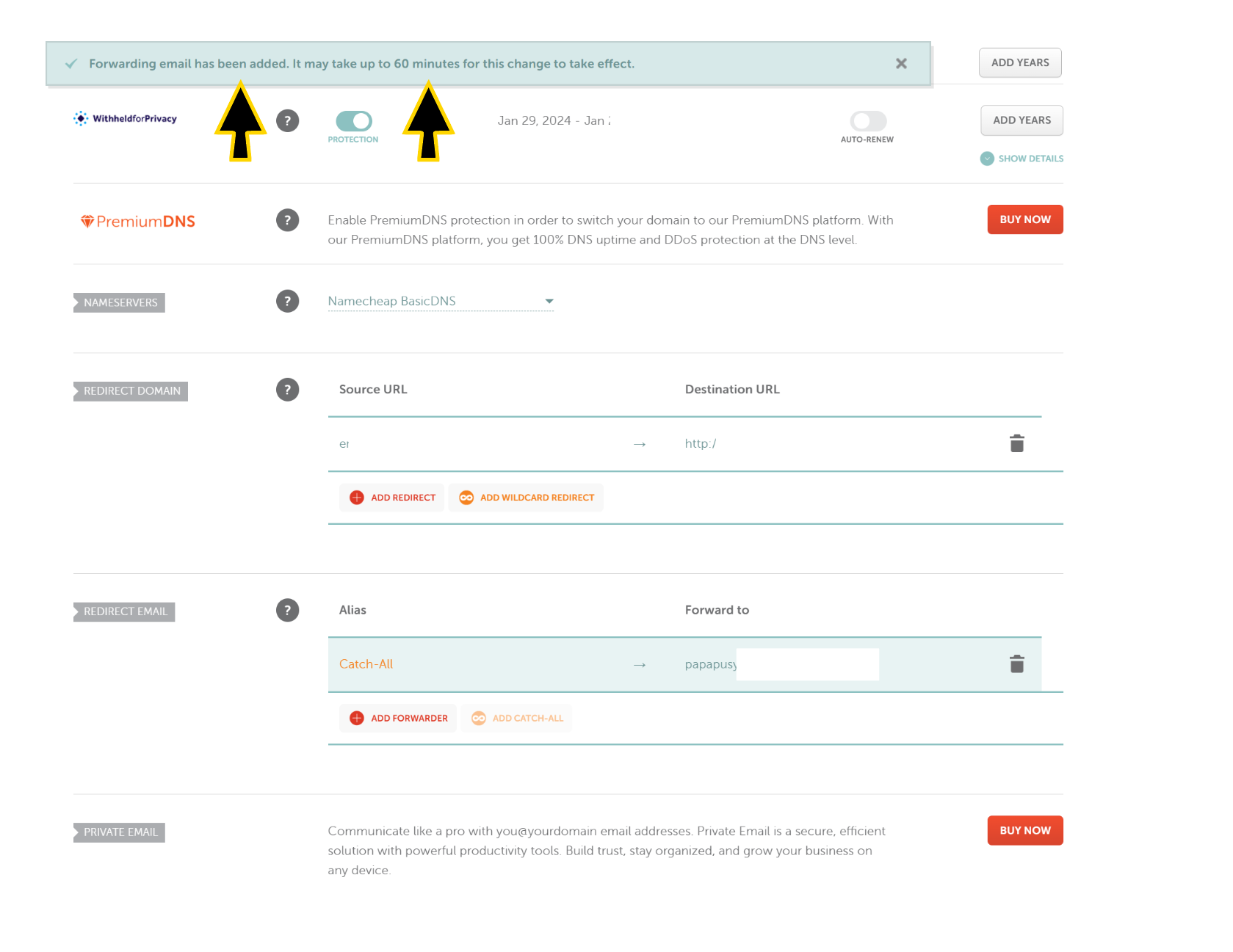
The domain will start working **within 60 minutes** after adding the catch-all. Don't panic if it doesn't work immediately.
{% endhint %}
***
### 3. Repeat for all domains
Do the same for every domain you purchased.
{% hint style="warning" %}
**One Gmail per domain.** Connecting multiple domains to the same Gmail will overload it and cause delays.
{% endhint %}
{% hint style="success" %}
Don't forget to add your domain names in the 👉 [Config File](/guide/dexcore-guide-fr/setup/installation/config-file.md) after setting up catch-all.
{% endhint %}