> For the complete documentation index, see [llms.txt](https://dexcore.gitbook.io/guide/llms.txt). Markdown versions of documentation pages are available by appending `.md` to page URLs; this page is available as [Markdown](https://dexcore.gitbook.io/guide/setup/installation/config-file/buying-domains.md).
# Buying Domains
{% hint style="info" %}
We recommend purchasing domains from the provider [NameCheap](https://www.namecheap.com/).
{% endhint %}
***
## 1. Search for a Domain
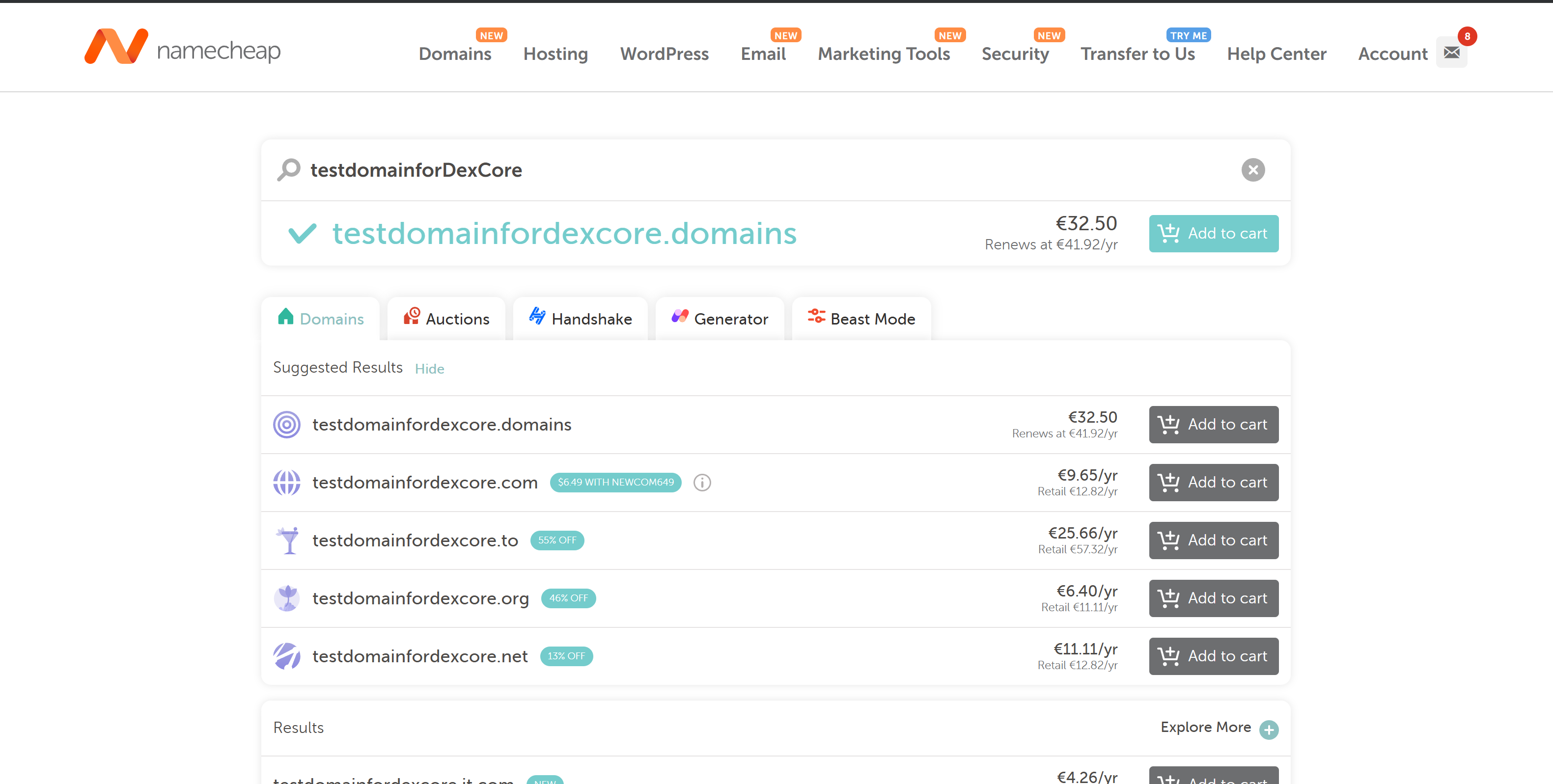
[Click on this link](https://www.namecheap.com/domains/domain-name-search/) and choose any domain you like (the name doesn't matter).
***
## 2. Add Domains to Cart
{% hint style="warning" %}
We recommend choosing domains that are close to common ones (.net, .org, .xyz, etc.).
{% endhint %}
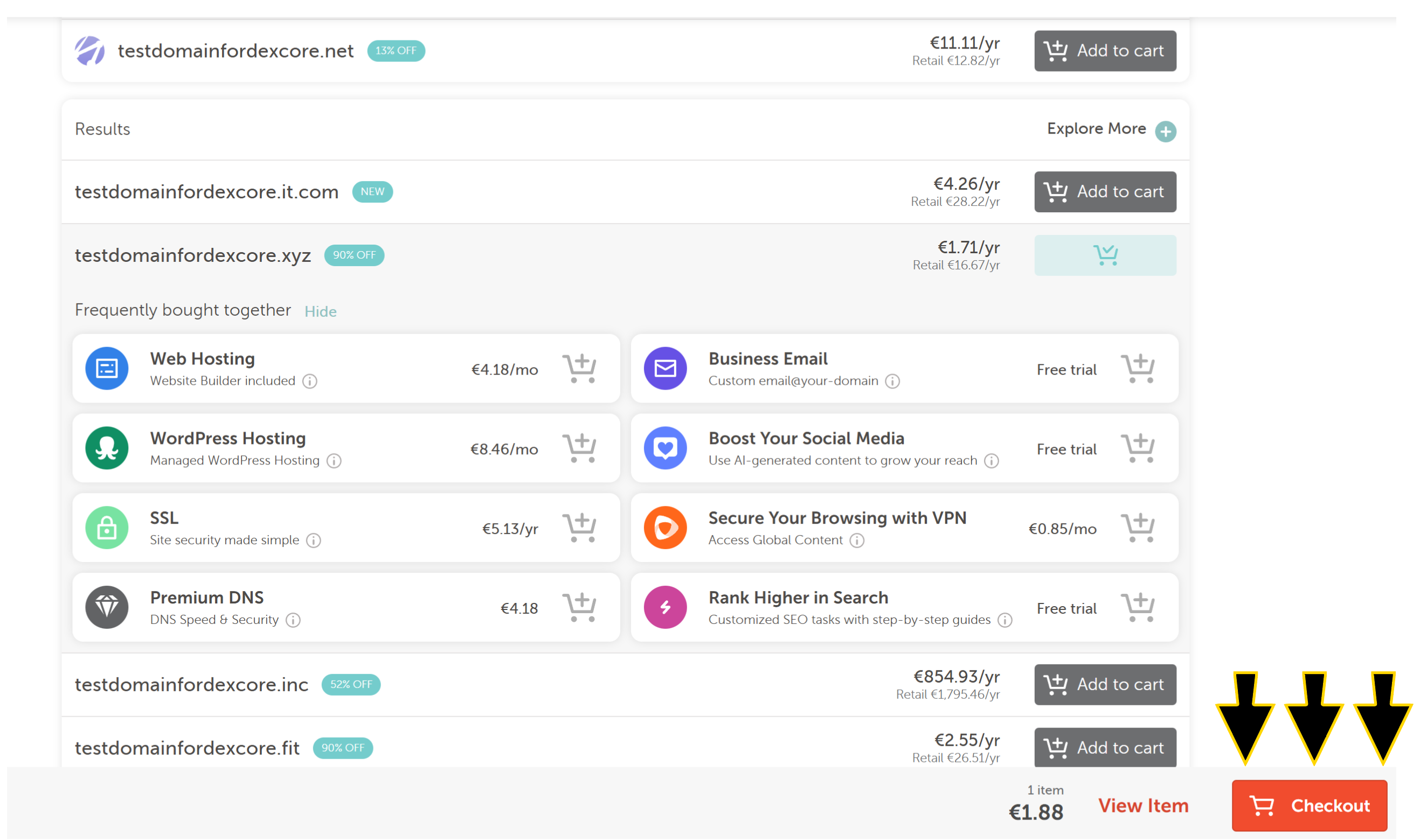
1. Add your preferred domain to the cart.
2. Find a few more domains if necessary and add them to the cart.
3. Proceed to checkout.
***
## 3. Confirm Order
{% hint style="info" %}
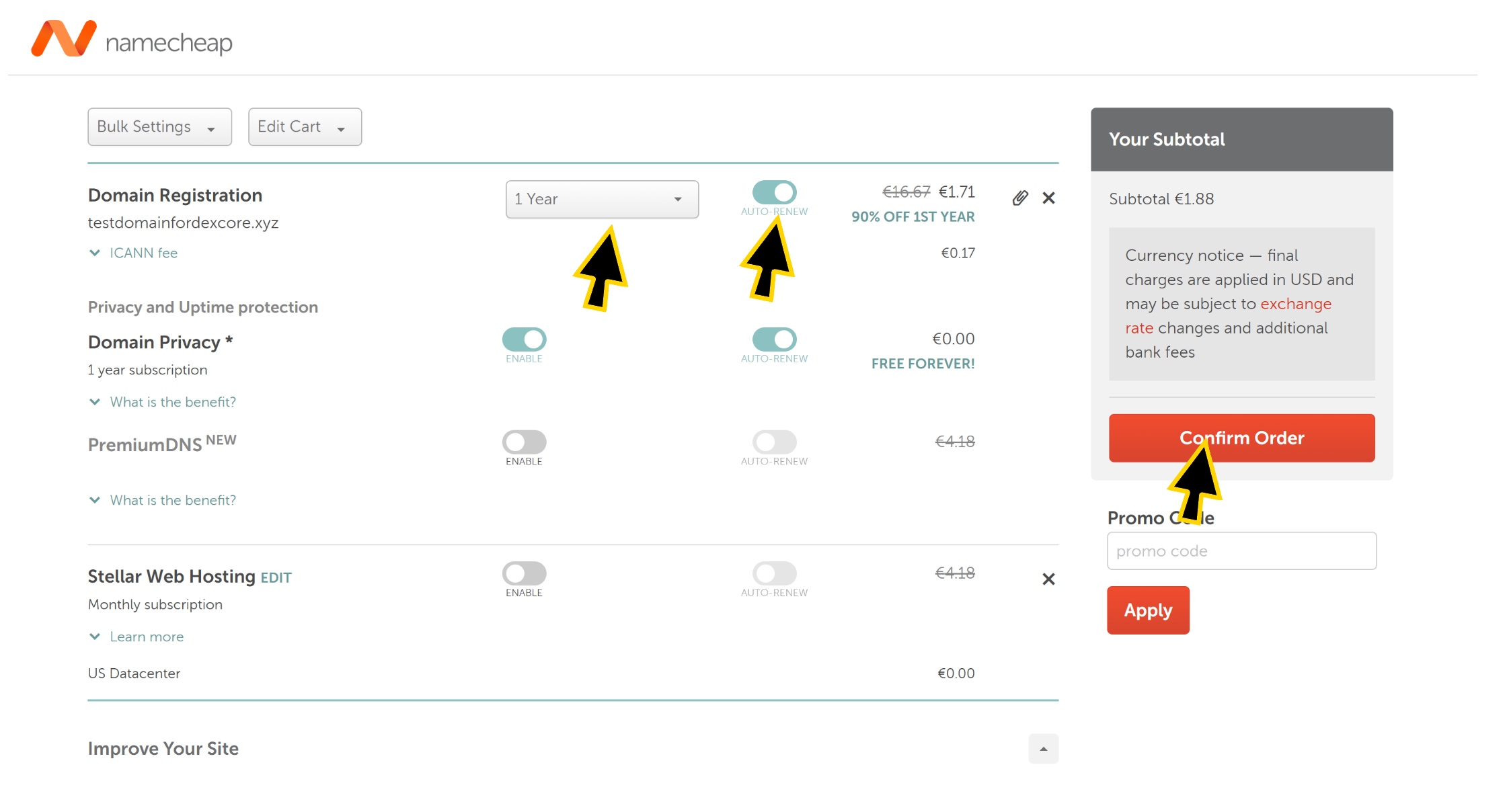
You can change the settings, but the default ones are usually sufficient. You can also choose the duration for your domain registration or enable auto-renewal.
{% endhint %}
After selecting the settings, proceed to payment. Click **Confirm Order**.
***
## 4. Complete Payment
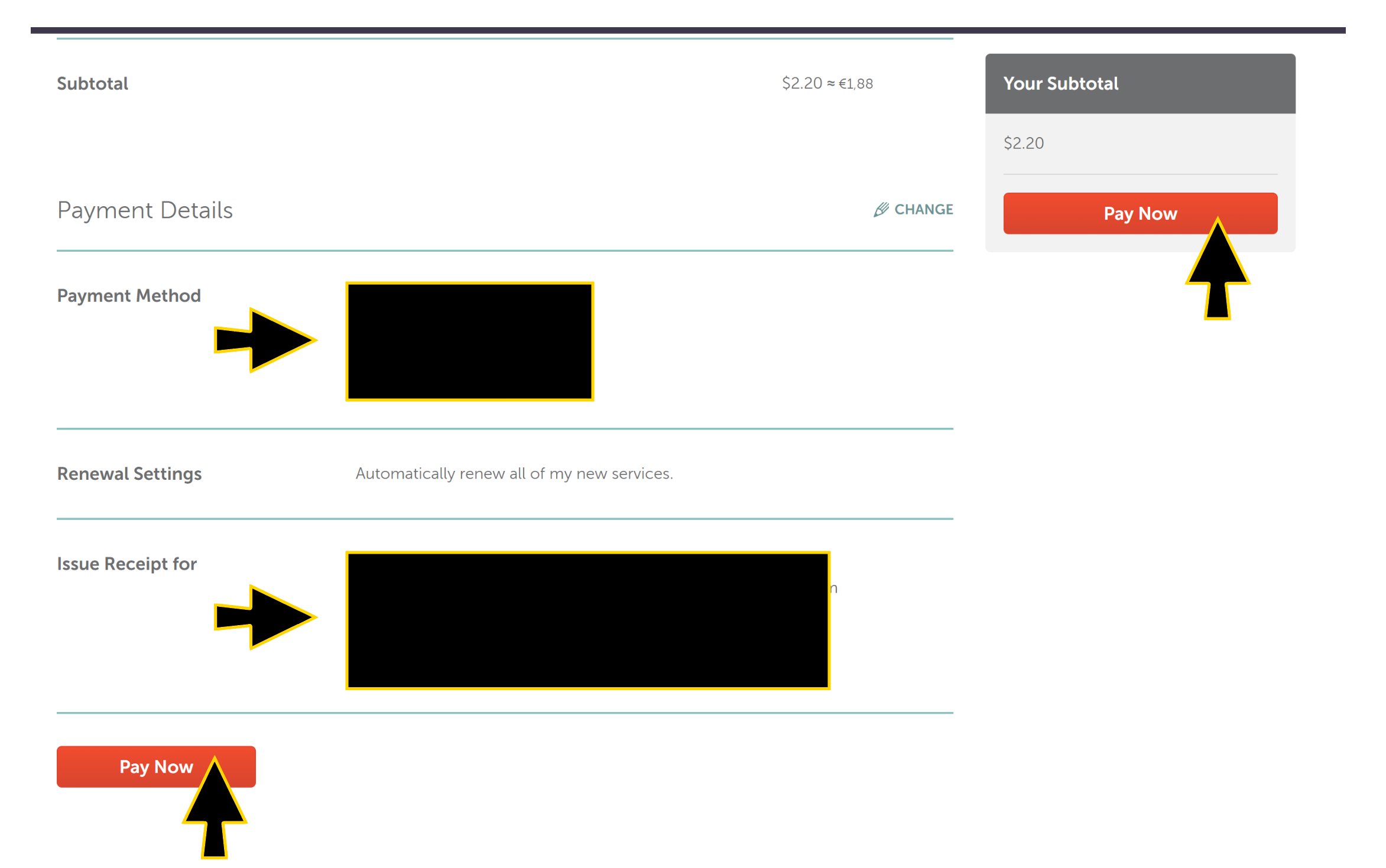
Scroll down the page, configure your payment details, and enter any address and contact information. Then, click **Pay Now**.
***
Congratulations. You've purchased your domains, now let's move on to configuring them.